
Explore Kaddo
Kaddo Visual Explorer is a visual way to discover the toolkit. Each concept pairs a picture with a plain explanation, an example and links to the technical documentation — so you can find what is useful to you without knowing Kaddo beforehand.
These cards are conceptual illustrations, not product screenshots, and they describe behavior that exists today. For the technical Mermaid diagrams of the knowledge loop, see Technical diagrams.
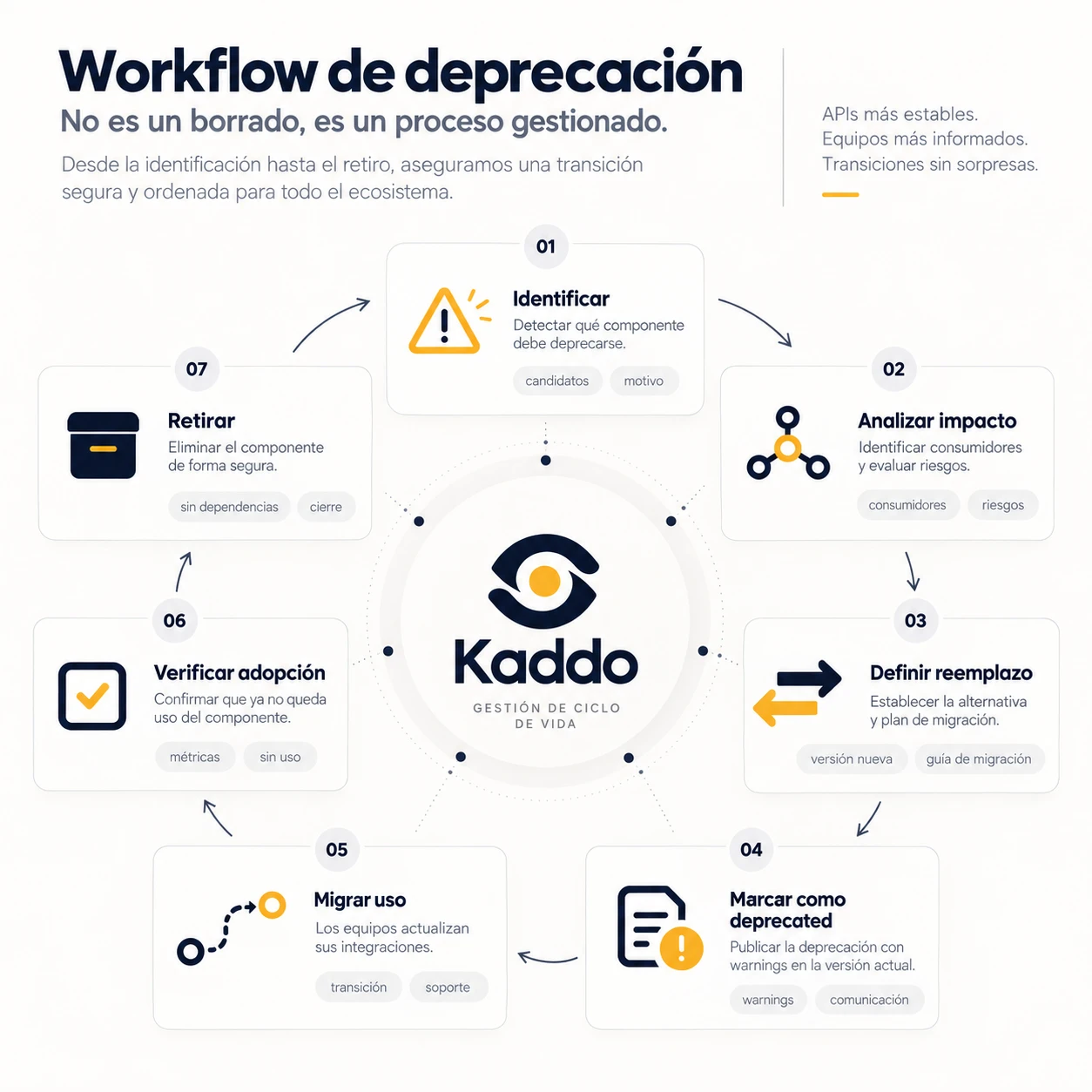
Manage development Controlled Deprecation Retiring legacy is a managed process, not a delete.
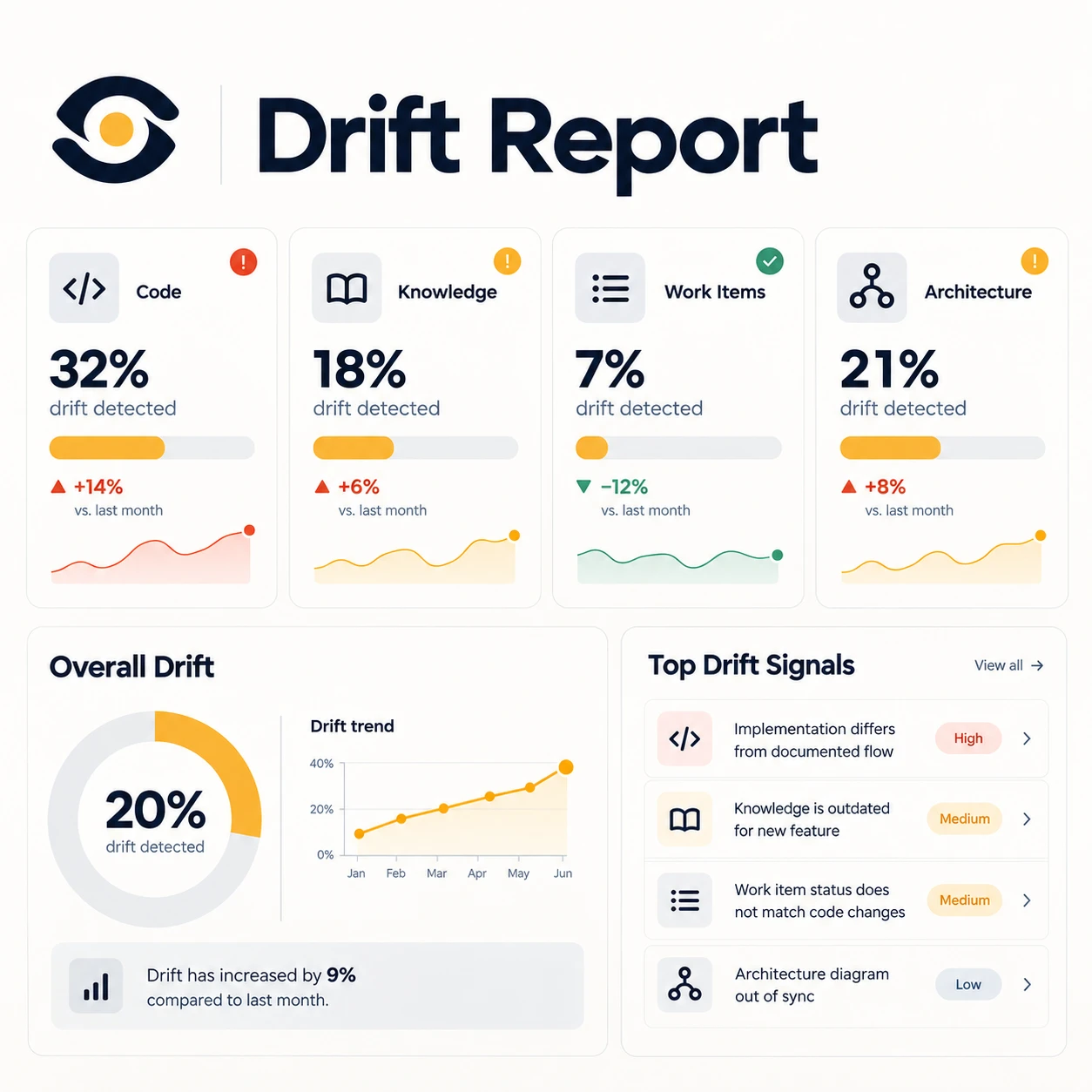
Integrate, protect & measure Drift Report Track how code, knowledge, Work Items and architecture drift over time.
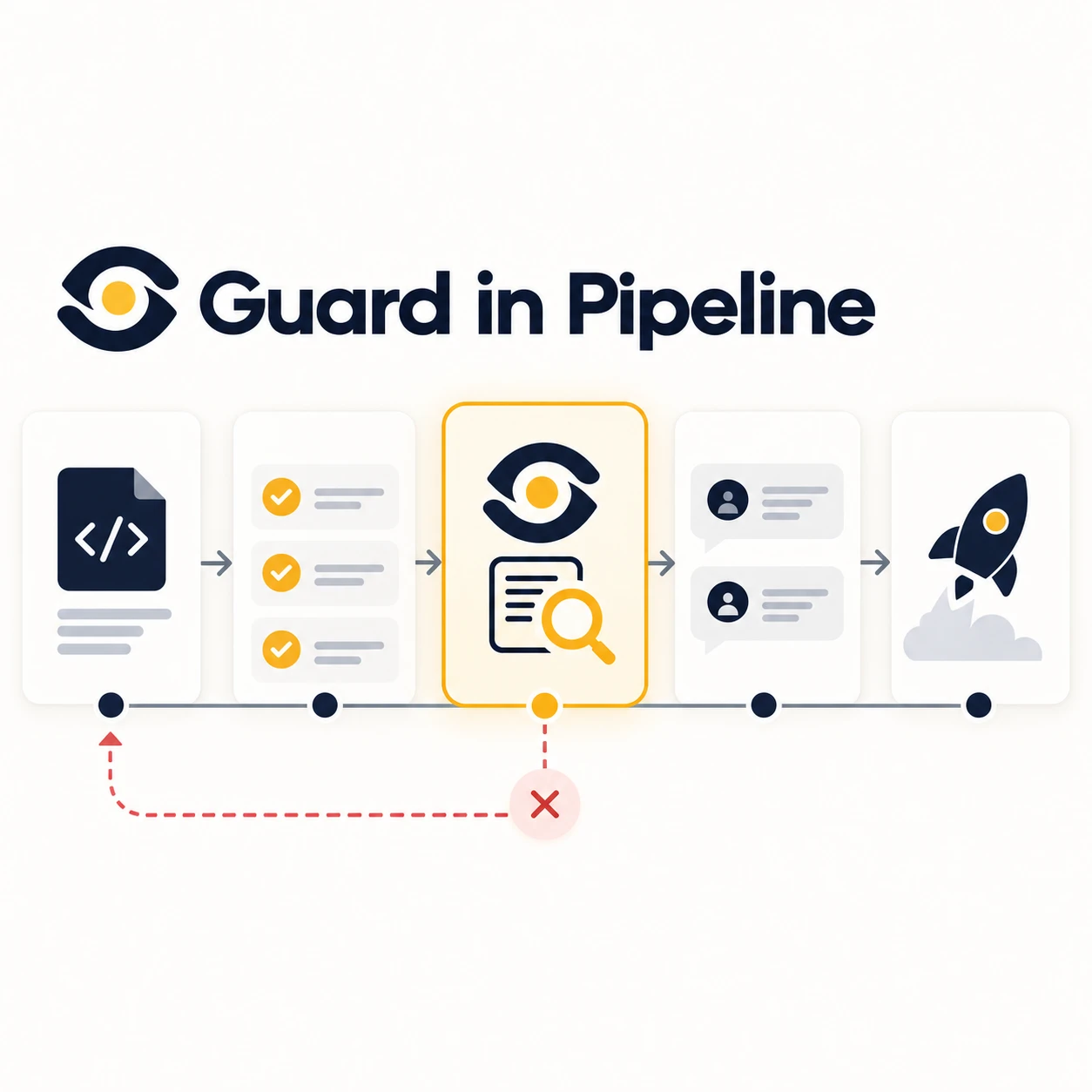
Integrate, protect & measure Guard Check whether changed code has related knowledge that was not updated.
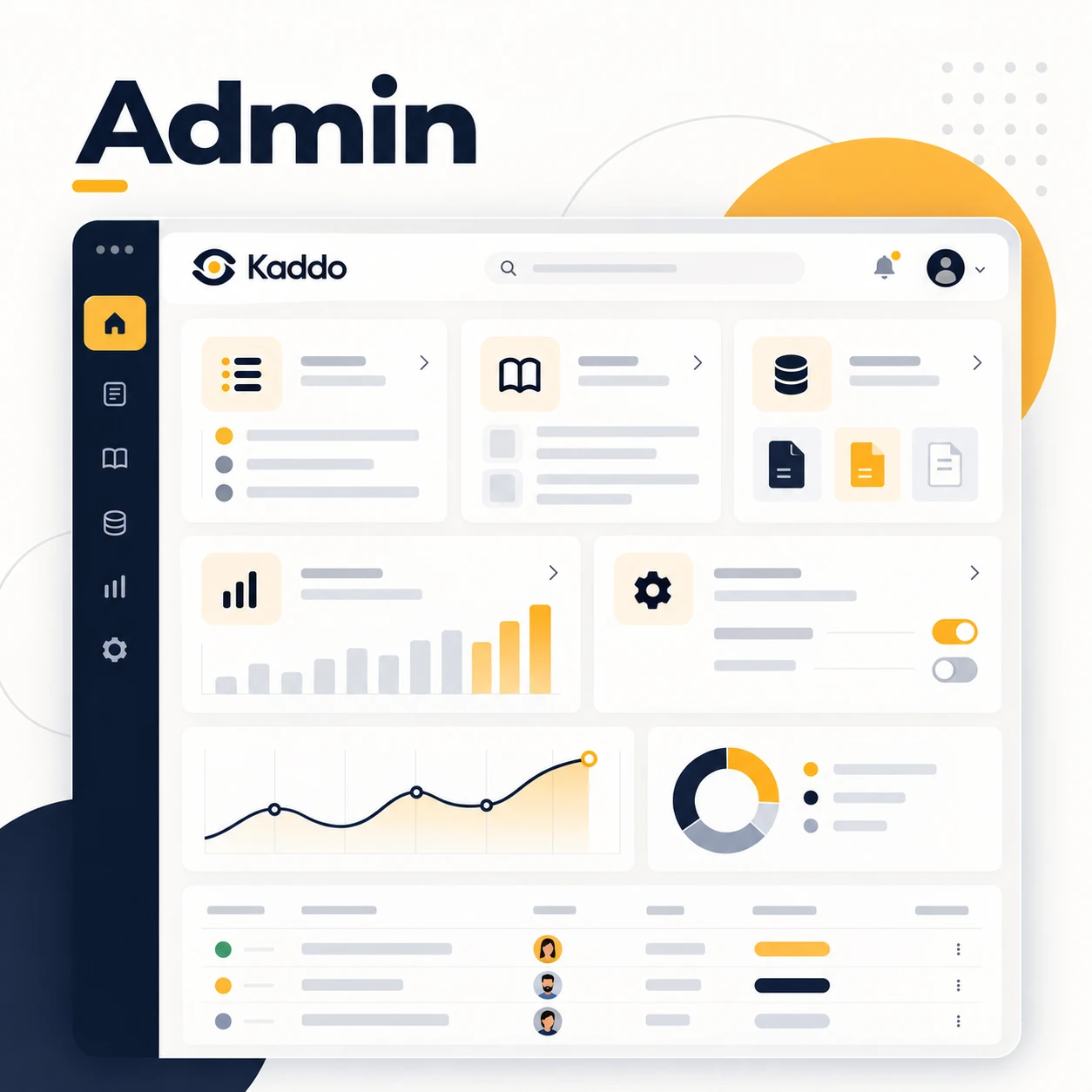
Integrate, protect & measure Kaddo Admin A local UI to see and follow your project knowledge.

Start with Kaddo Kaddo knowledge layers The four macro layers Kaddo uses to frame a project under knowledge/.
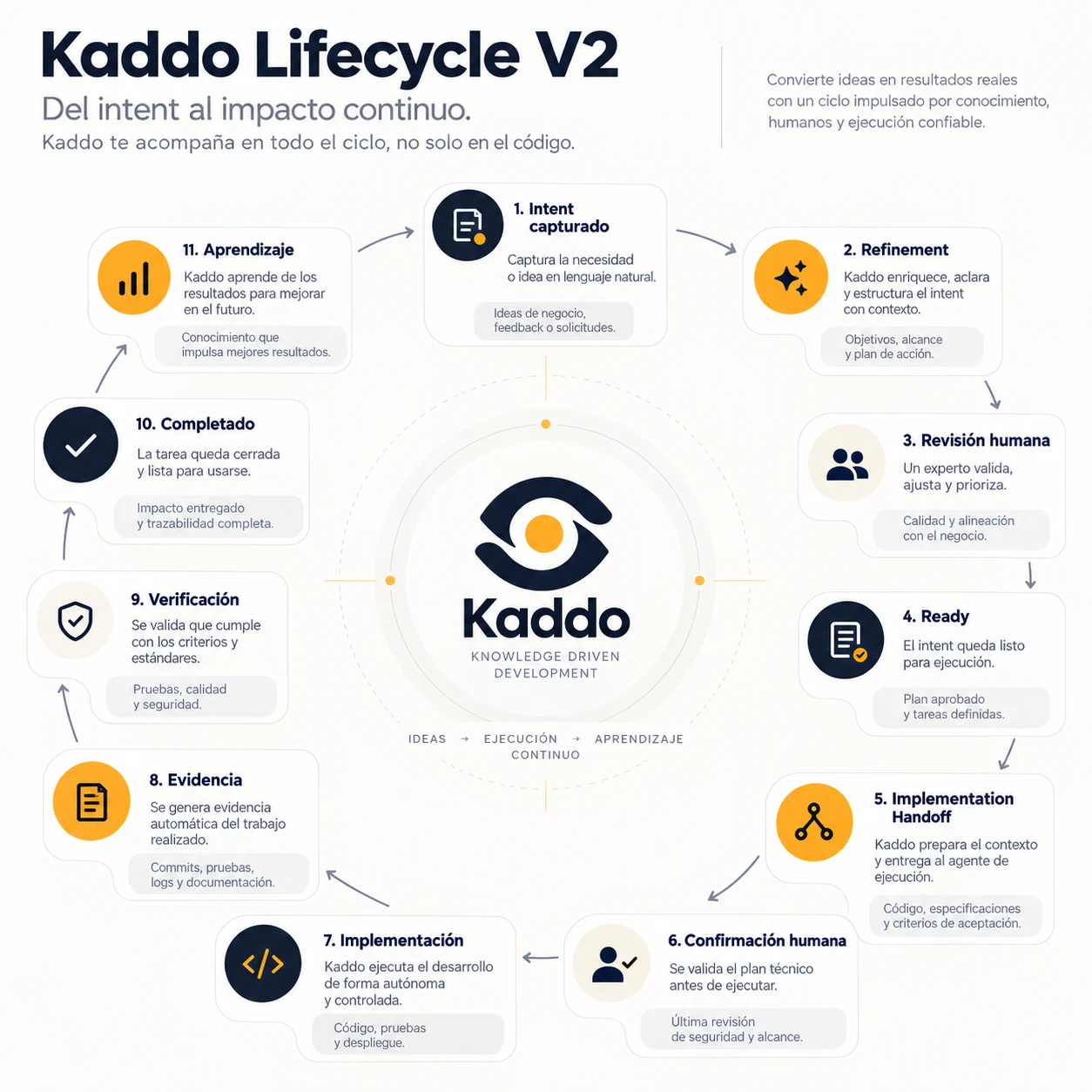
Manage development Kaddo Lifecycle V2 From intent to continuous impact — a knowledge-driven, human-checked cycle.
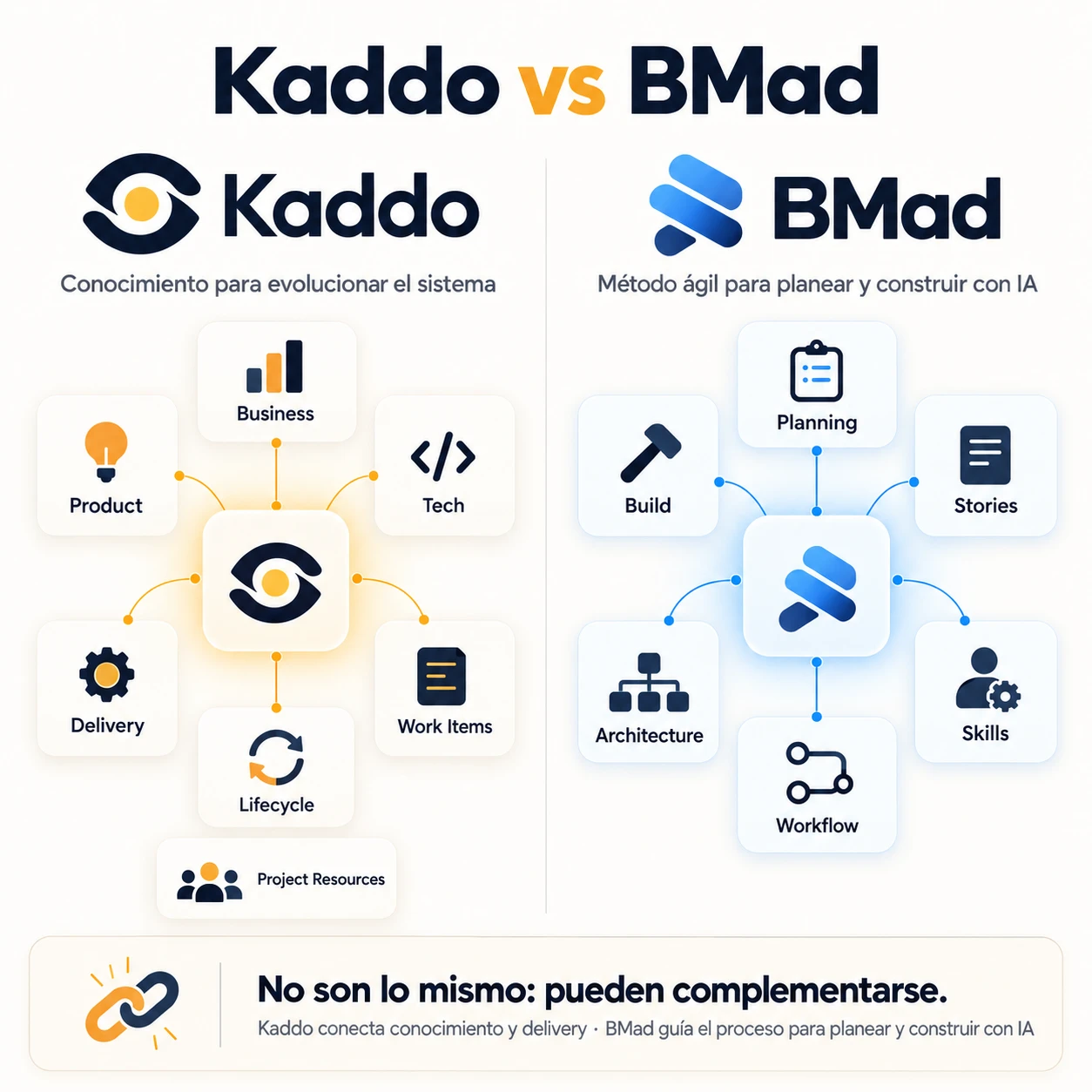
Compare Kaddo Kaddo vs BMad Different focus: Kaddo connects knowledge and delivery; they can complement each other.
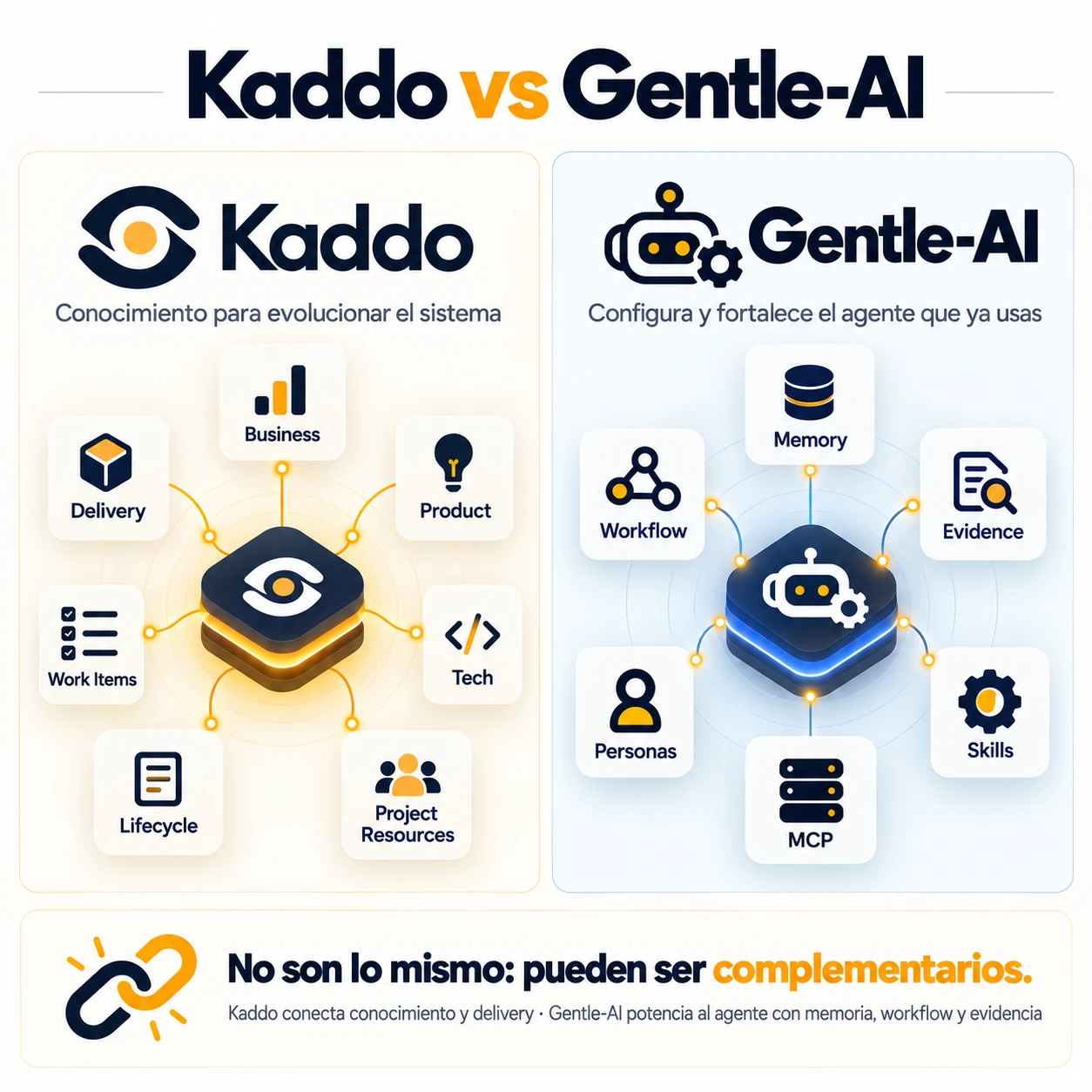
Compare Kaddo Kaddo vs Gentle-AI Different focus: Kaddo connects knowledge and delivery; they can be complementary.
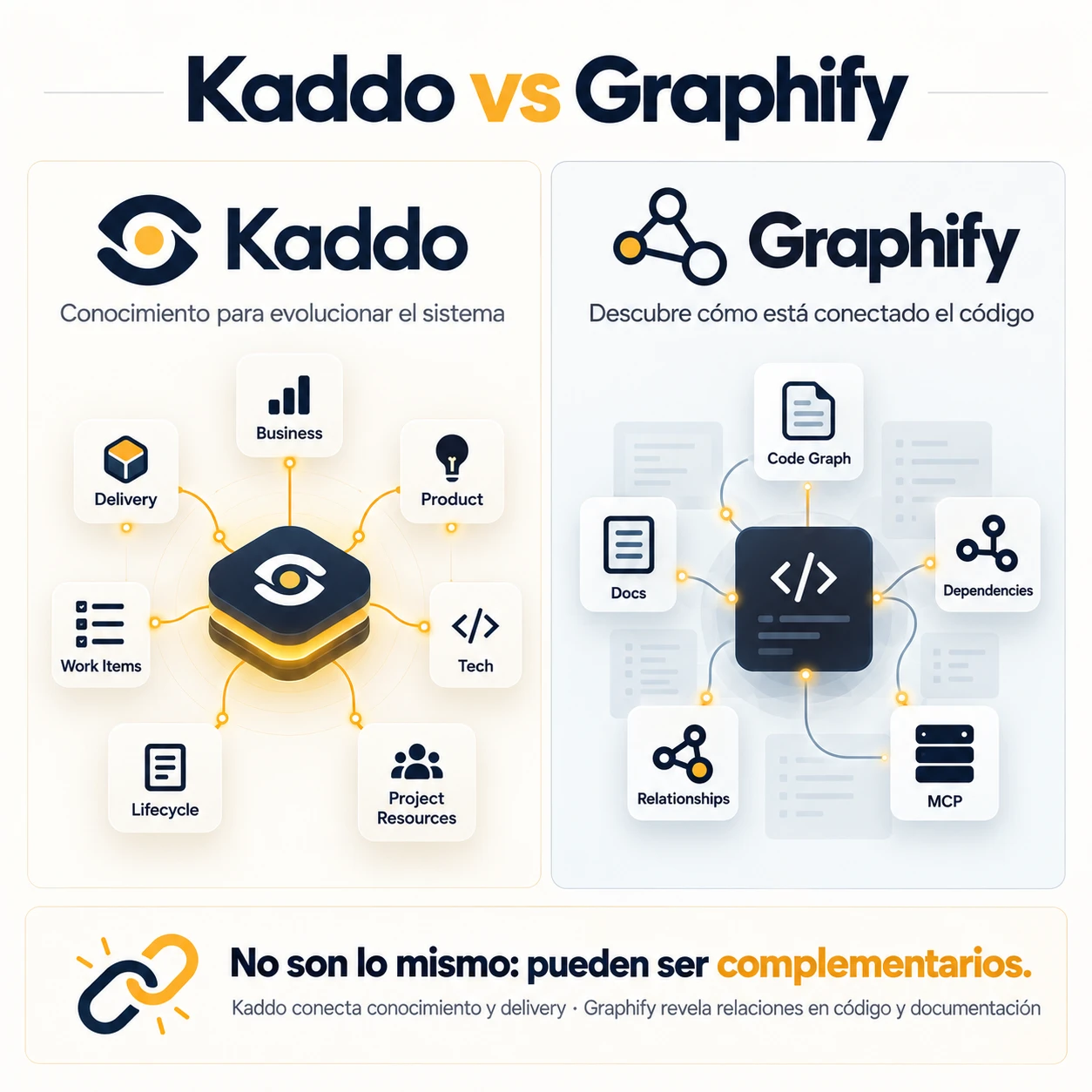
Compare Kaddo Kaddo vs Graphify Different focus: Kaddo connects knowledge and delivery; they can be complementary.
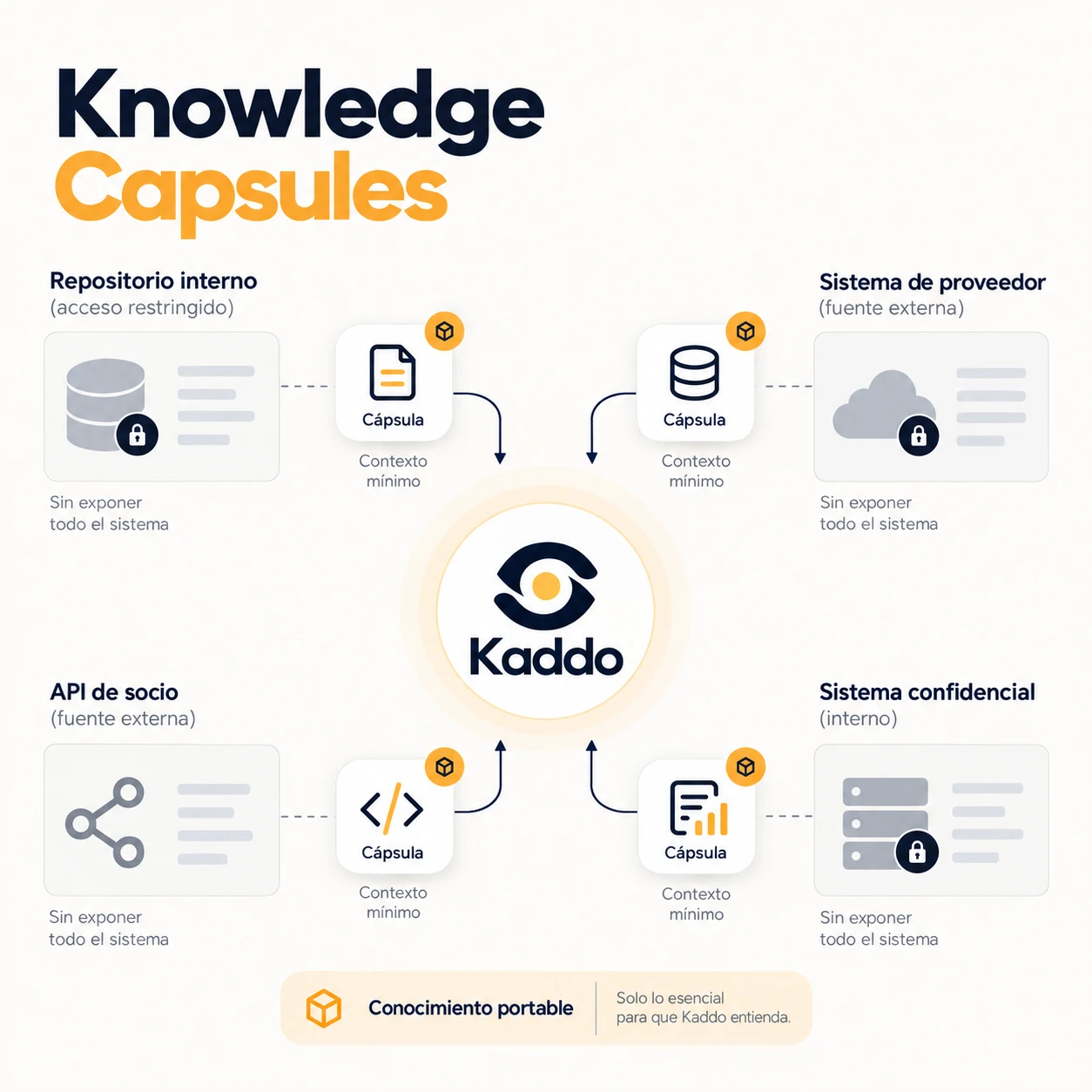
Understand your system Knowledge Capsules Portable, minimal context exported from a system without exposing all of it.
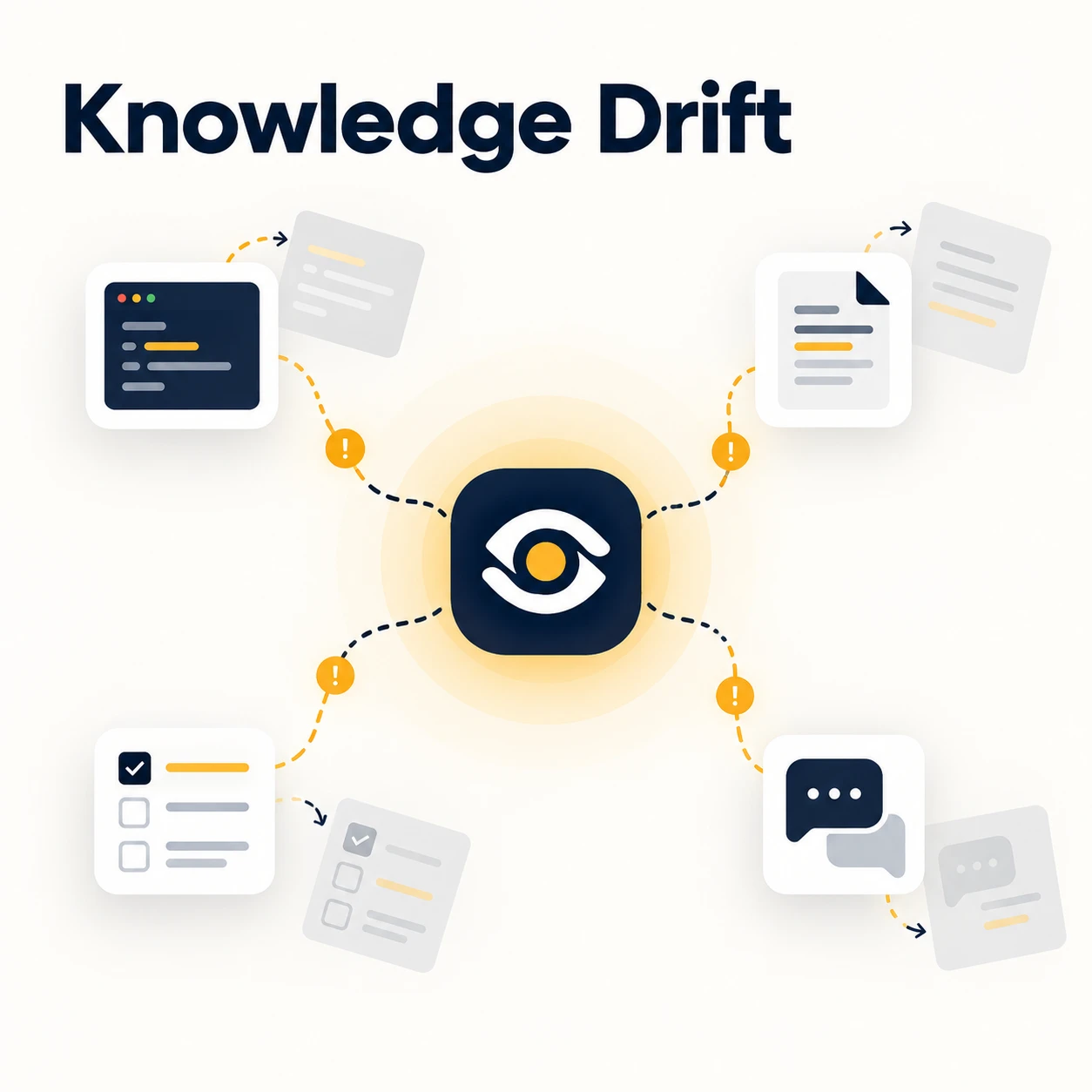
Understand your system Knowledge Drift When code, knowledge and Work Items stop agreeing.
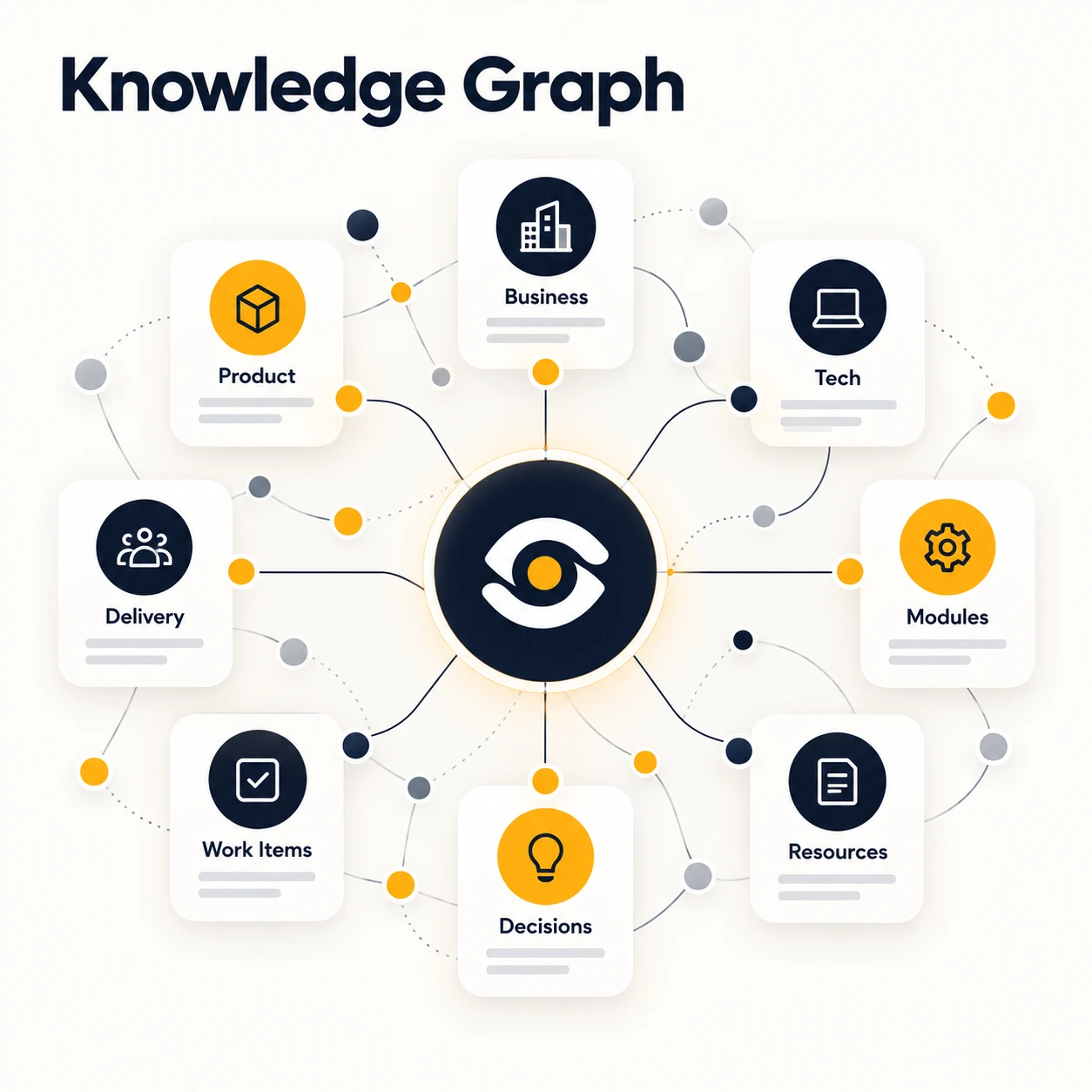
Understand your system Knowledge Graph A file-based graph of how your project knowledge and system connect.
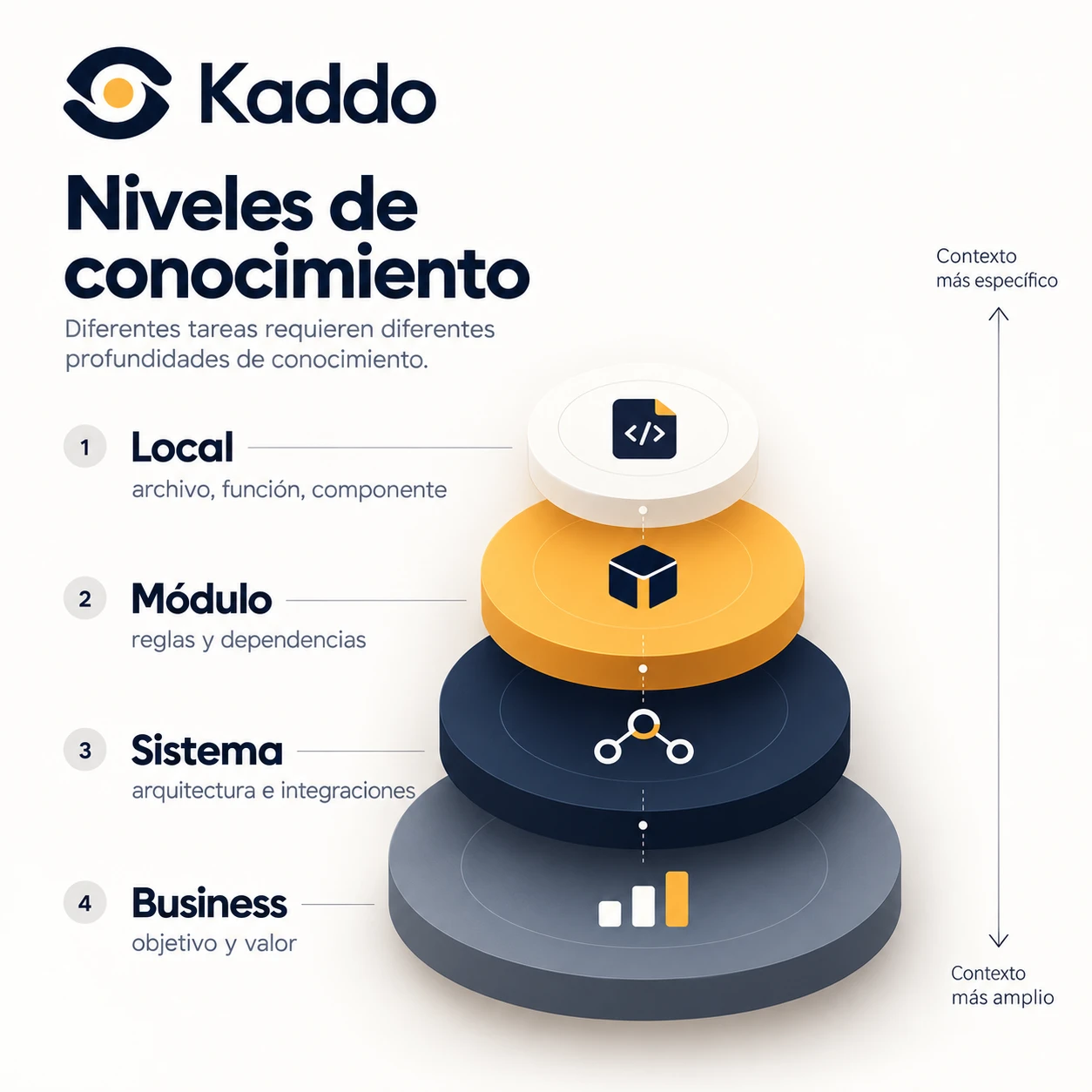
Start with Kaddo Knowledge levels Different tasks need different depths of context — from a file to the business.
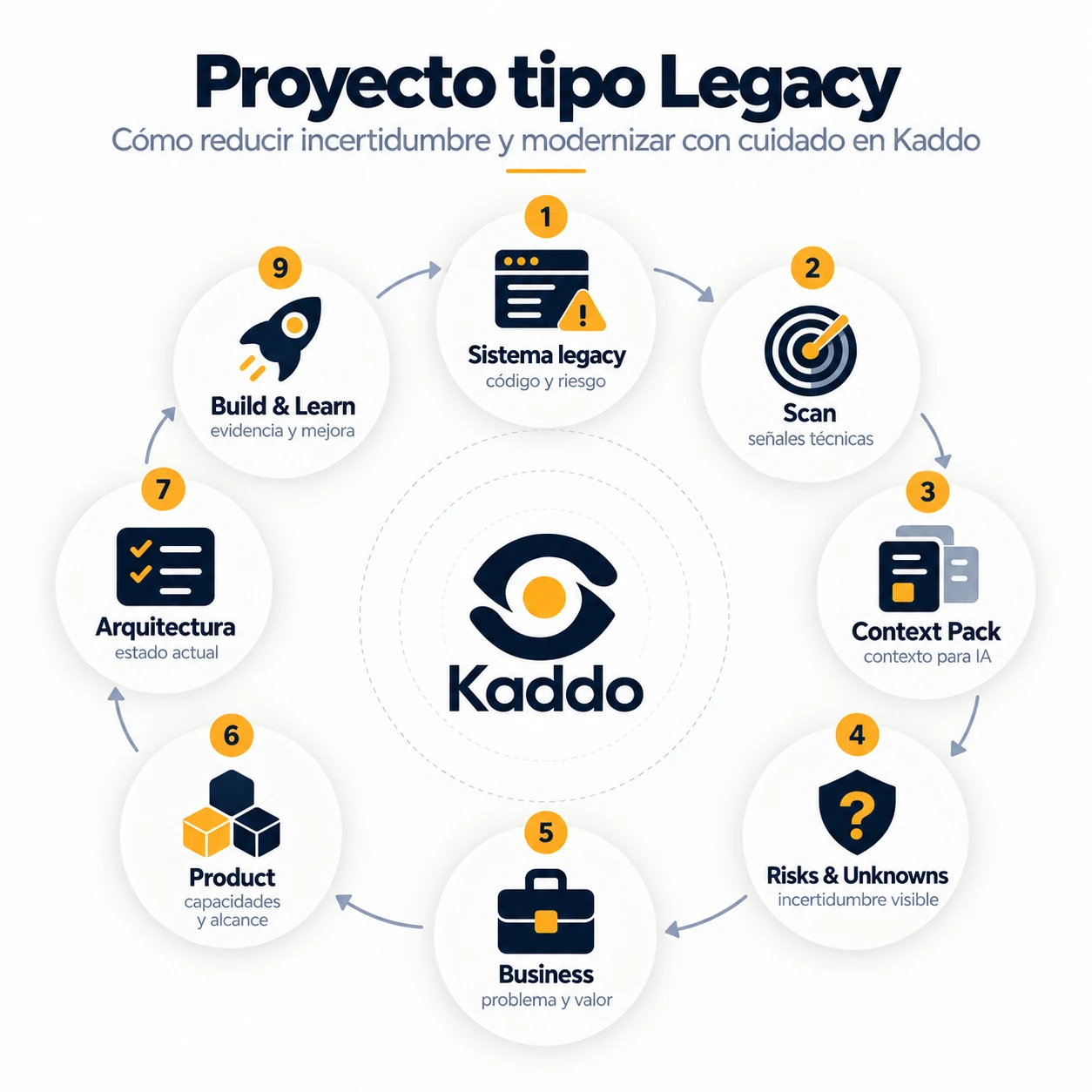
Start with Kaddo Legacy project Reduce uncertainty and modernize an old system with care.

Integrate, protect & measure MCP server Expose Kaddo knowledge to AI agents through the Model Context Protocol.
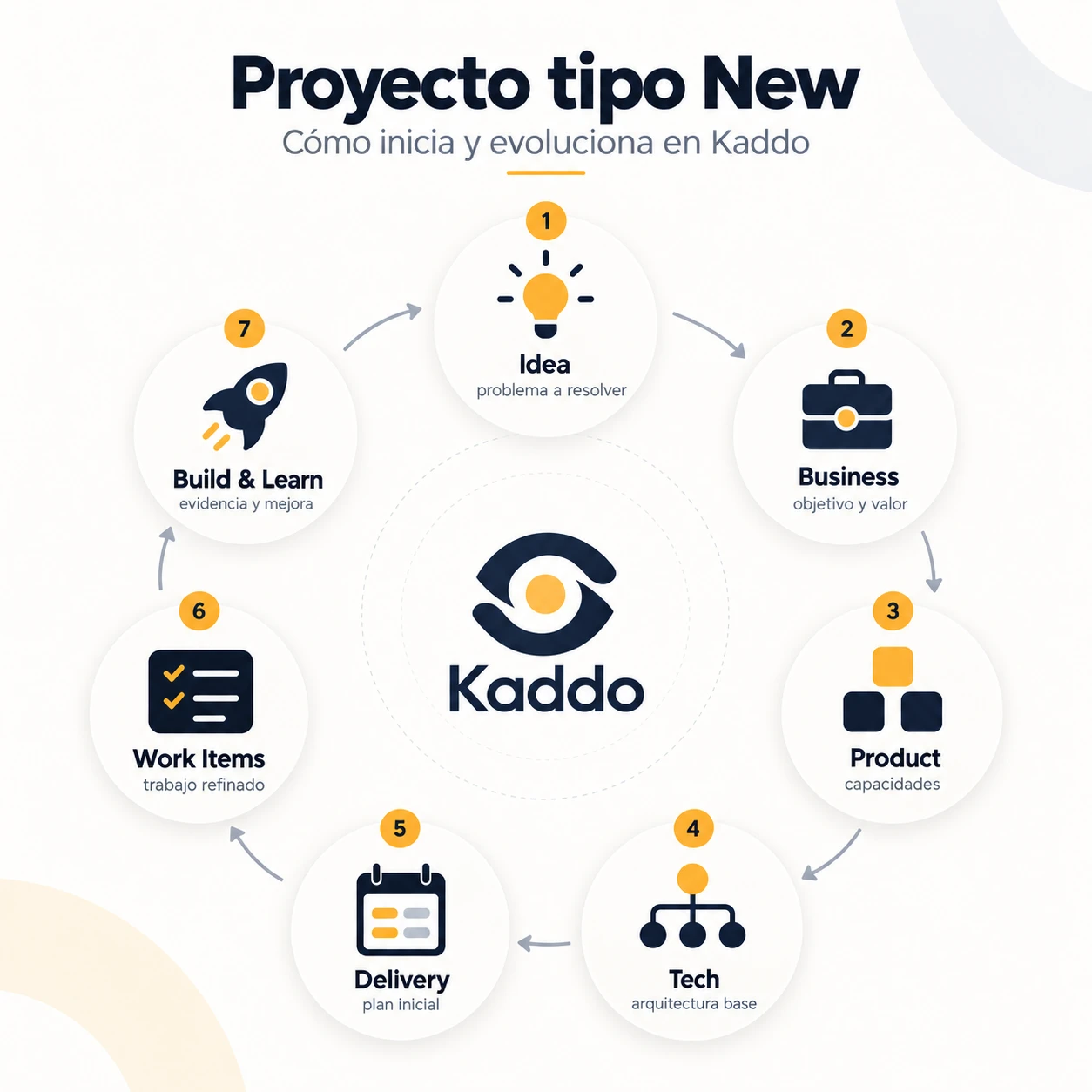
Start with Kaddo New project Start a project right and evolve it with a living knowledge layer.
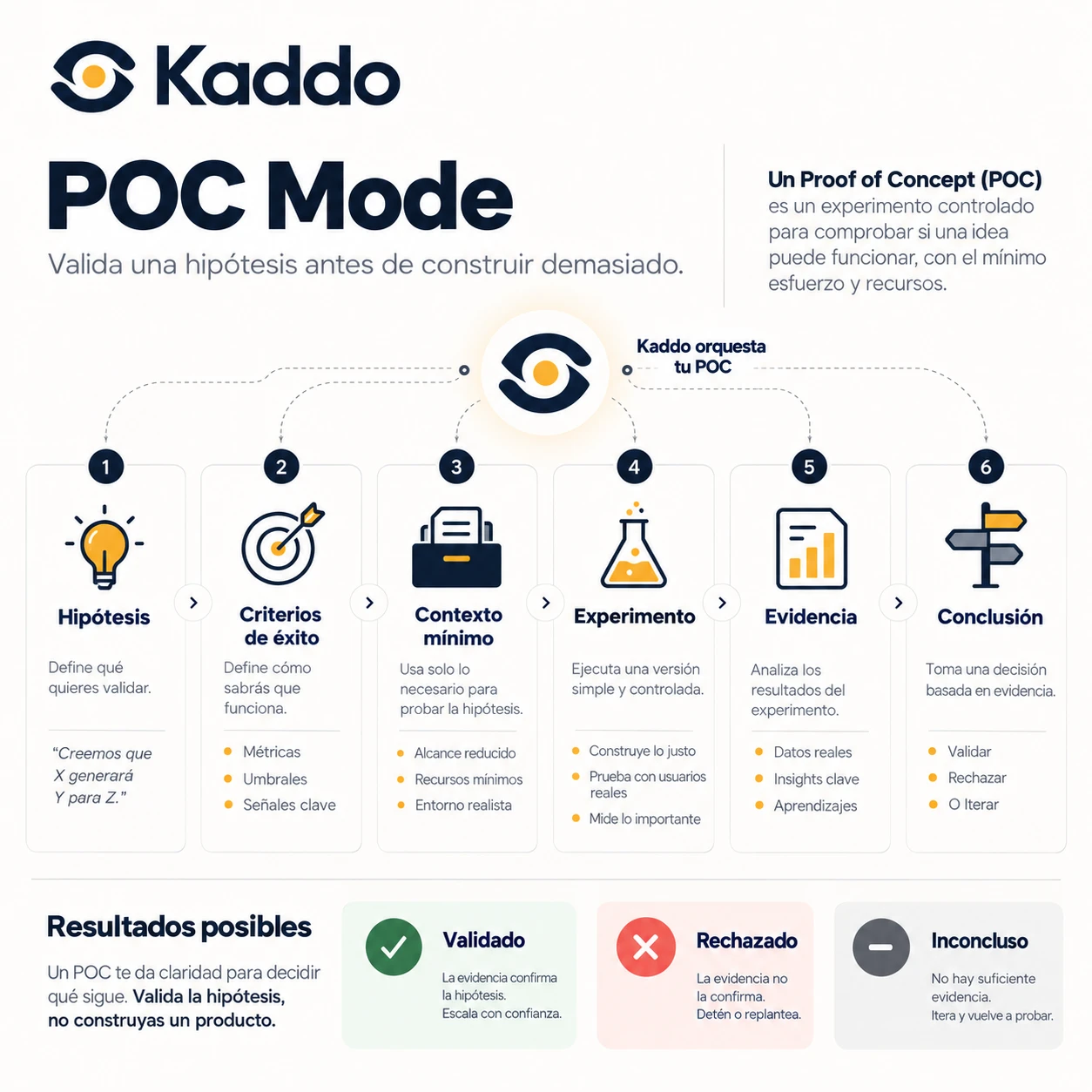
Manage development POC Mode Validate a hypothesis before building too much.
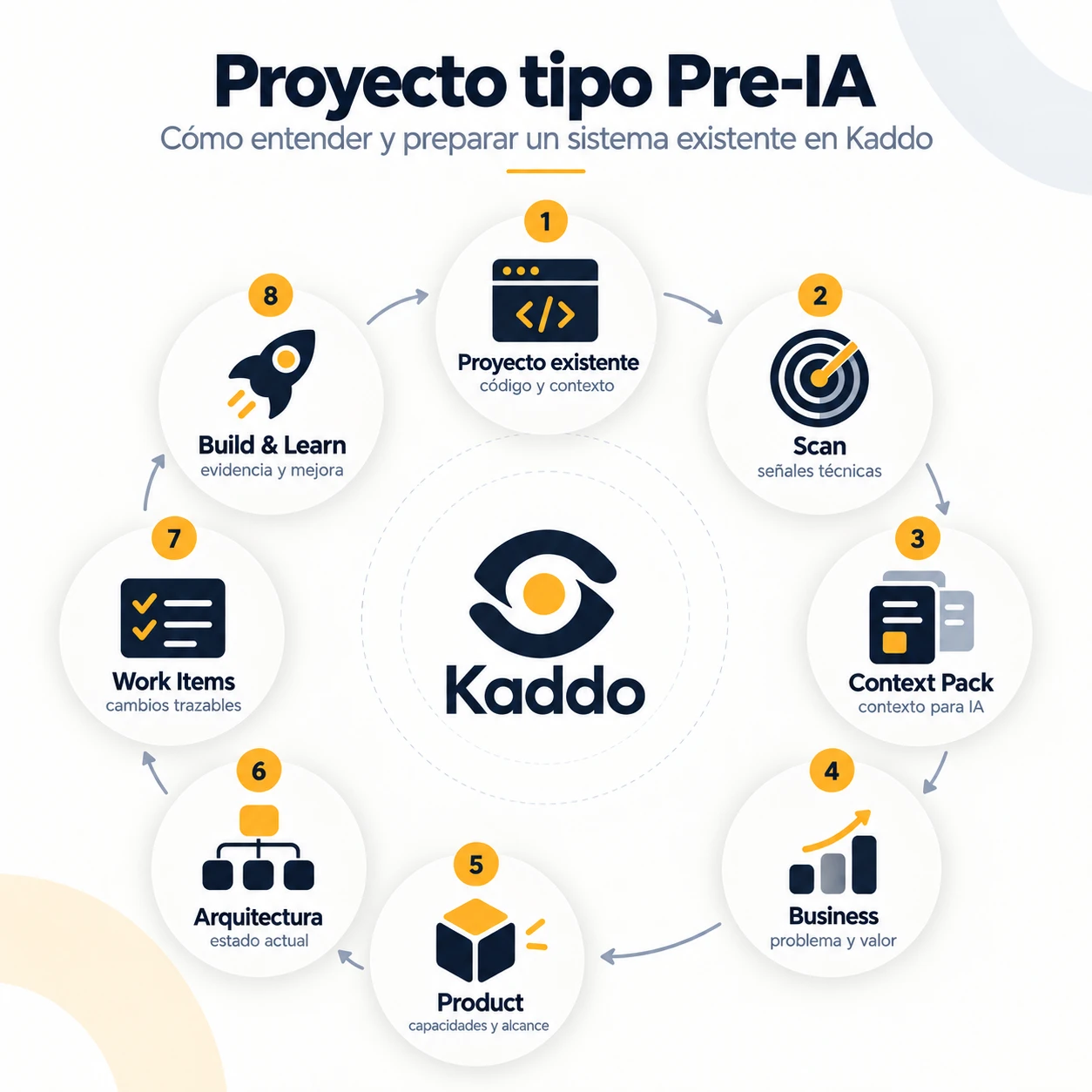
Start with Kaddo Pre-AI project Understand and prepare an existing system before evolving it with AI.
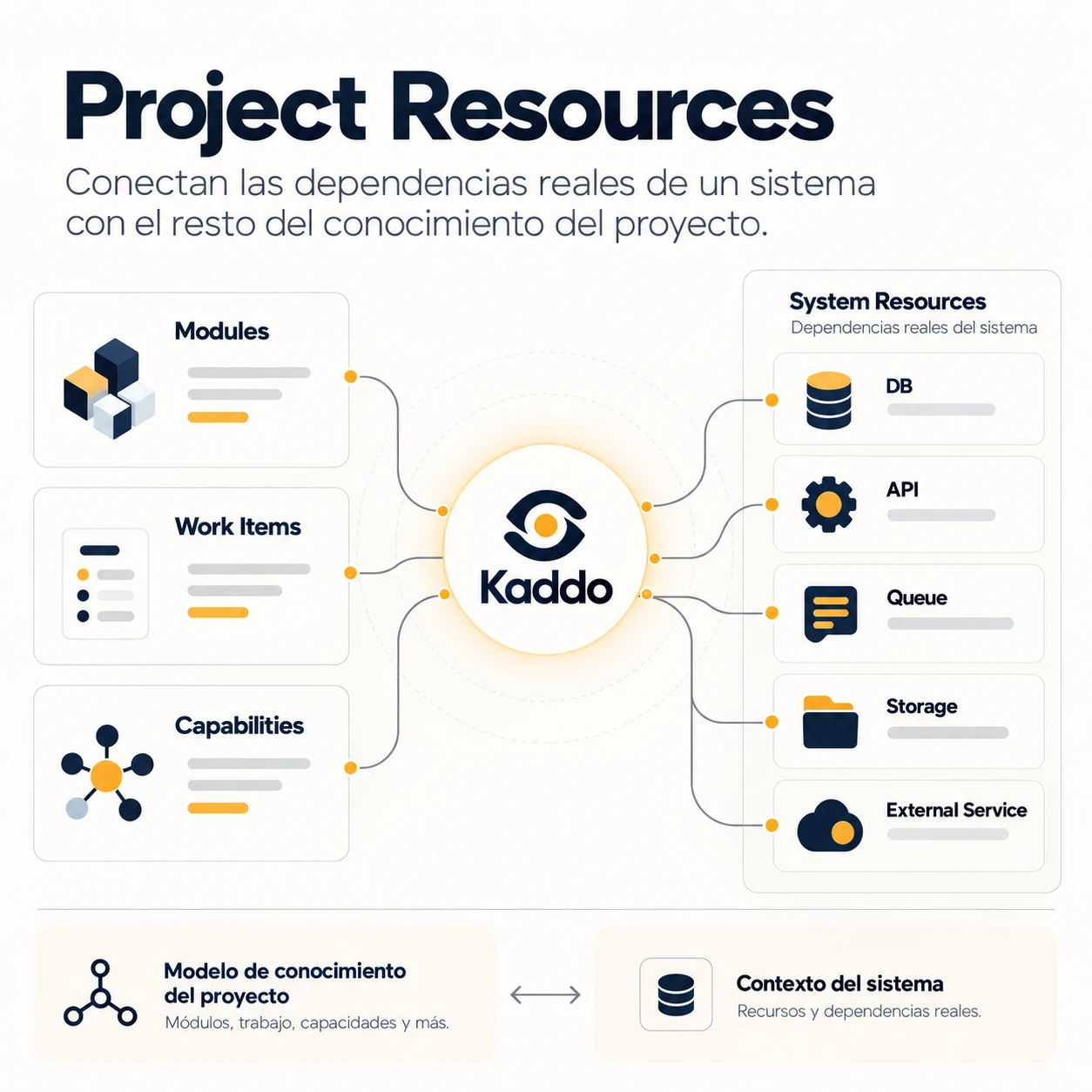
Understand your system Project Resources Connect a system’s real dependencies to the rest of the project knowledge.
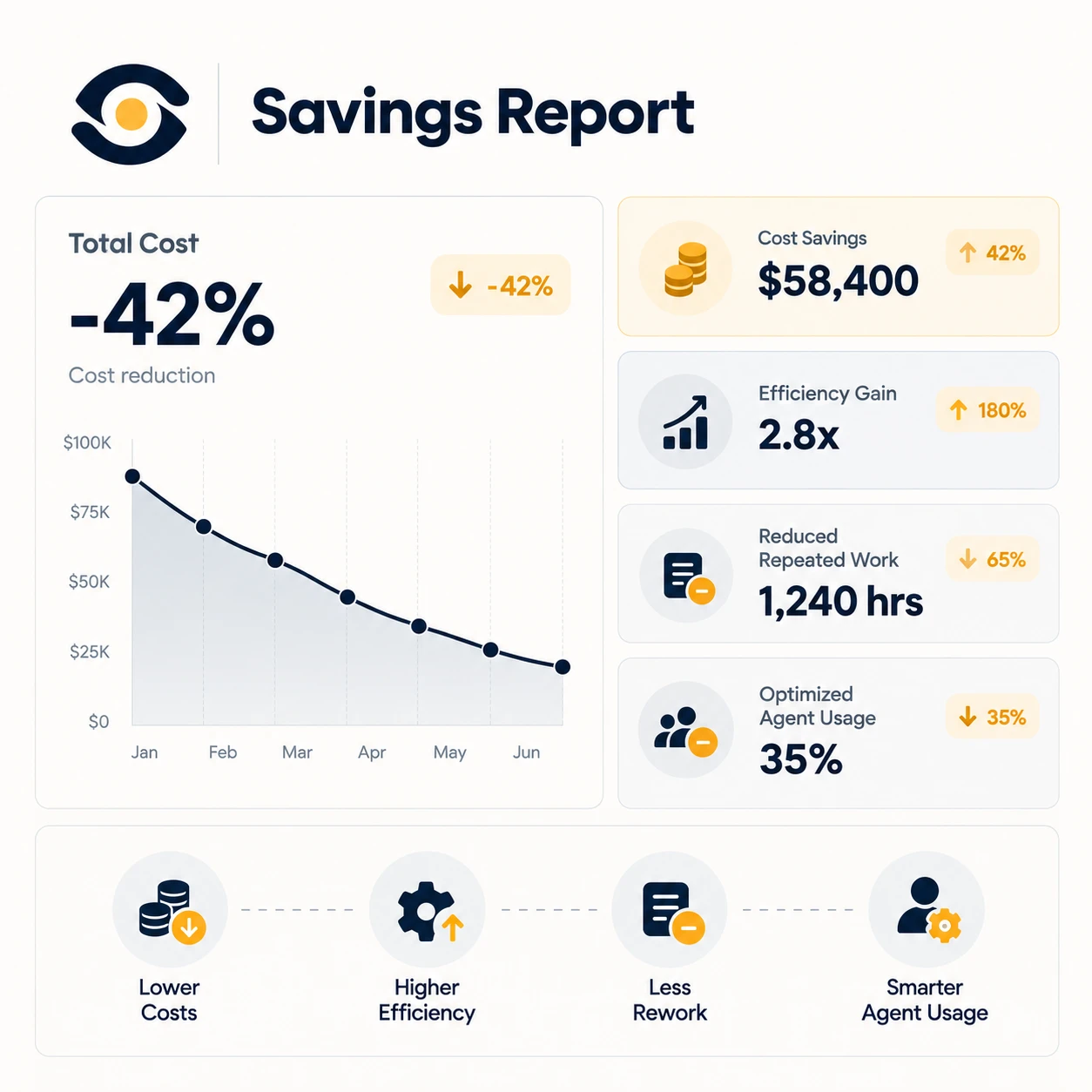
Integrate, protect & measure Savings Report Estimate savings from reused context and less repeated work.
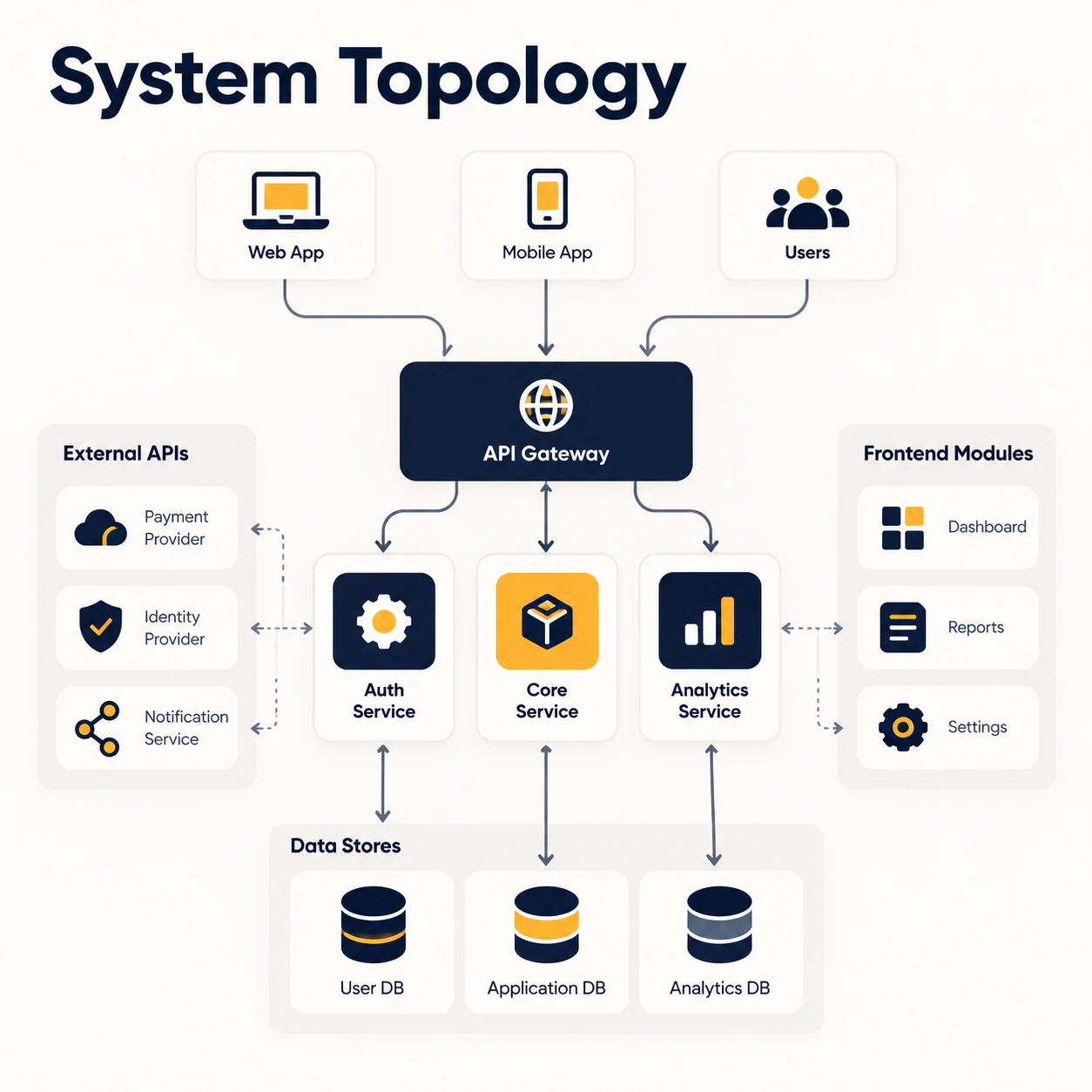
Understand your system System Topology A semantic map of your system: entities and how they relate.
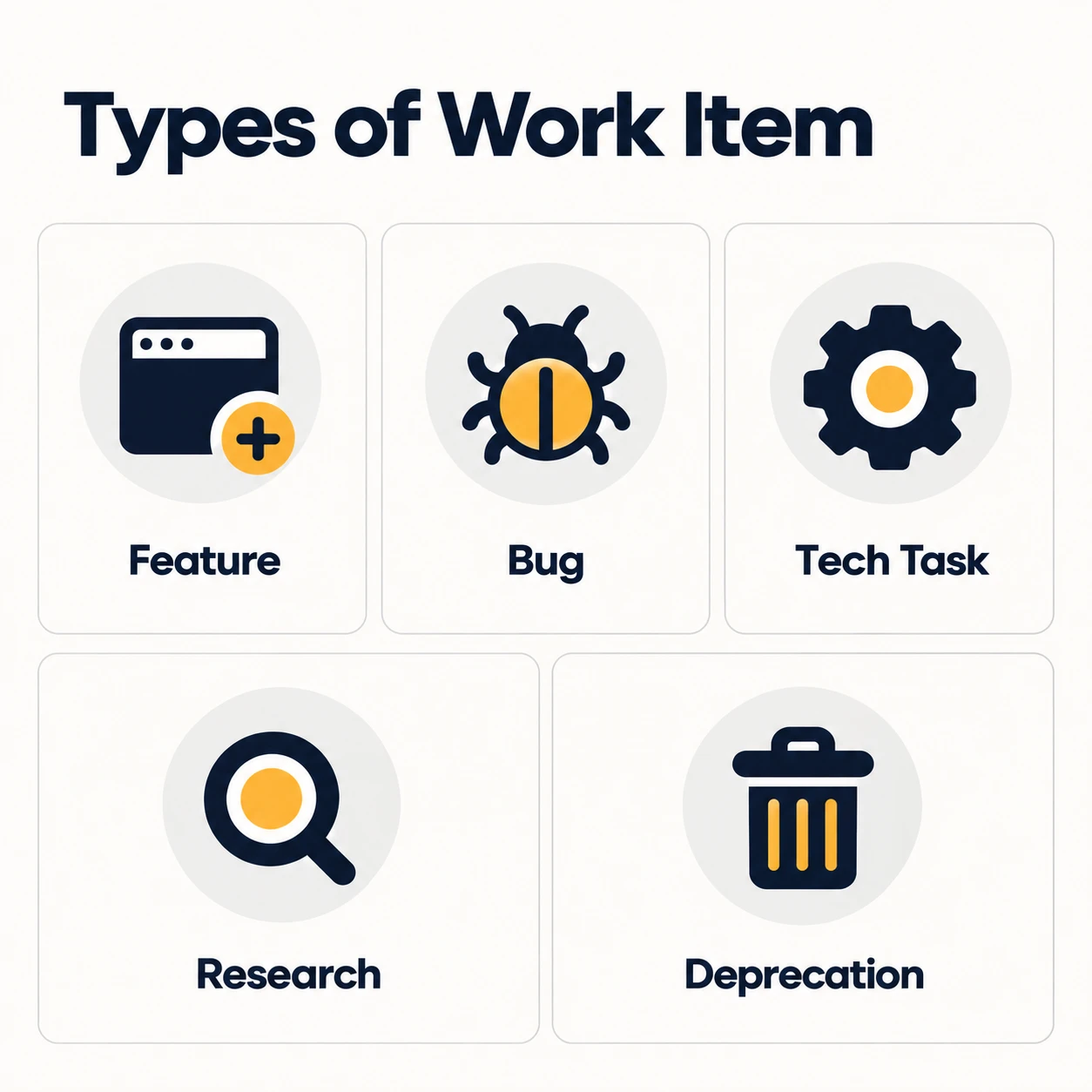
Manage development Types of Work Item Feature, bugfix, tech task, research and more — each change has a type.
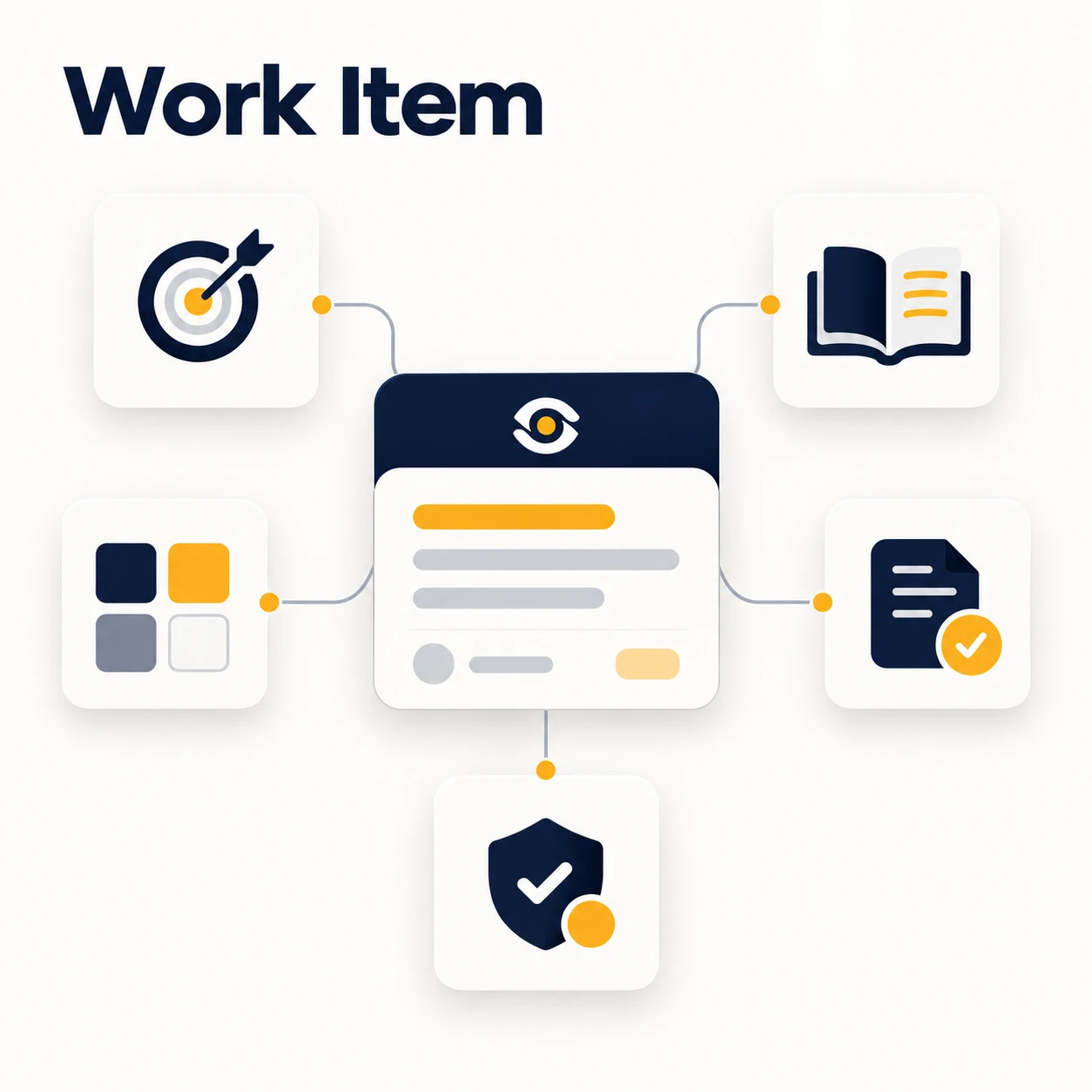
Manage development Work Items The unit of change in Kaddo, from captured intent to verified completion.
No concept matches your search. Try another category or term.
Keep exploring
Open any card to read what problem the concept solves, a concrete example, how to start, and where to go next in the documentation.