Diagrams as knowledge: Mermaid in Business, Product and Tech
Kaddo now treats Mermaid diagrams as first-class knowledge in Business, Product and Tech. The source stays in Markdown; the Admin renders it — architecture, flows and actors you can actually see.
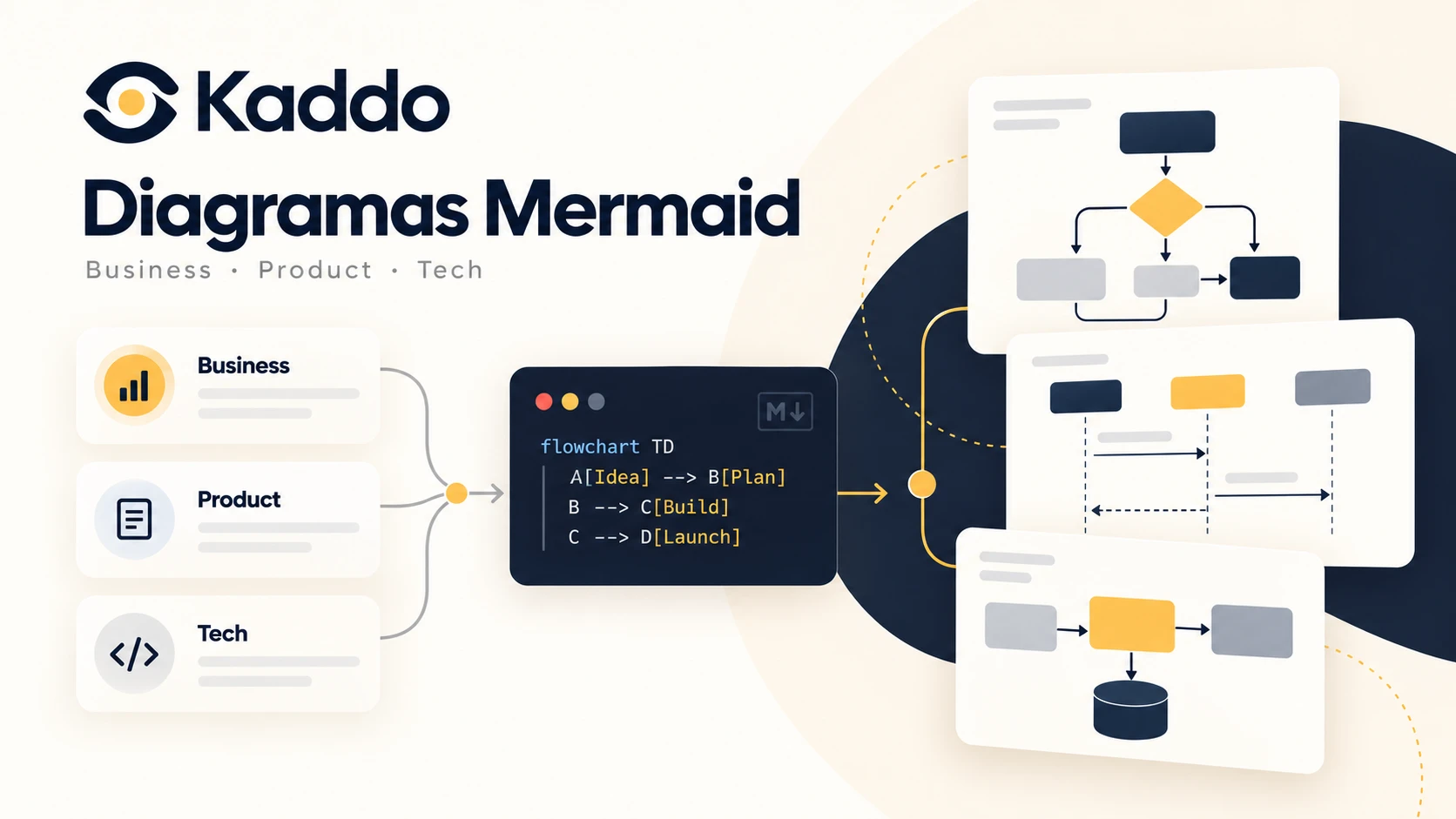
Project knowledge in Kaddo is written in Markdown — business context, product capabilities, technical architecture, delivery. Text is great for decisions, rules and constraints. But some knowledge is simply easier to understand when you can see it: who the actors are, how value flows, which modules depend on which, how a request travels through the system.
So Kaddo now treats Mermaid diagrams as first-class knowledge in Business, Product and Tech. You
write a mermaid fenced block in the Markdown, and the Admin renders it as a diagram — while the CLI,
MCP and Git keep the exact same source. No parallel format, no separate diagram tool.
One source of truth
A diagram is knowledge, not a decorative image. Its source lives inside the Markdown and is versioned in Git, so the same block has two representations with no duplication:
- CLI / MCP / repository → the Mermaid source stays as Markdown (humans read it, LLMs understand it, Git diffs it).
- Admin → the block is rendered as a diagram in the Knowledge detail view.
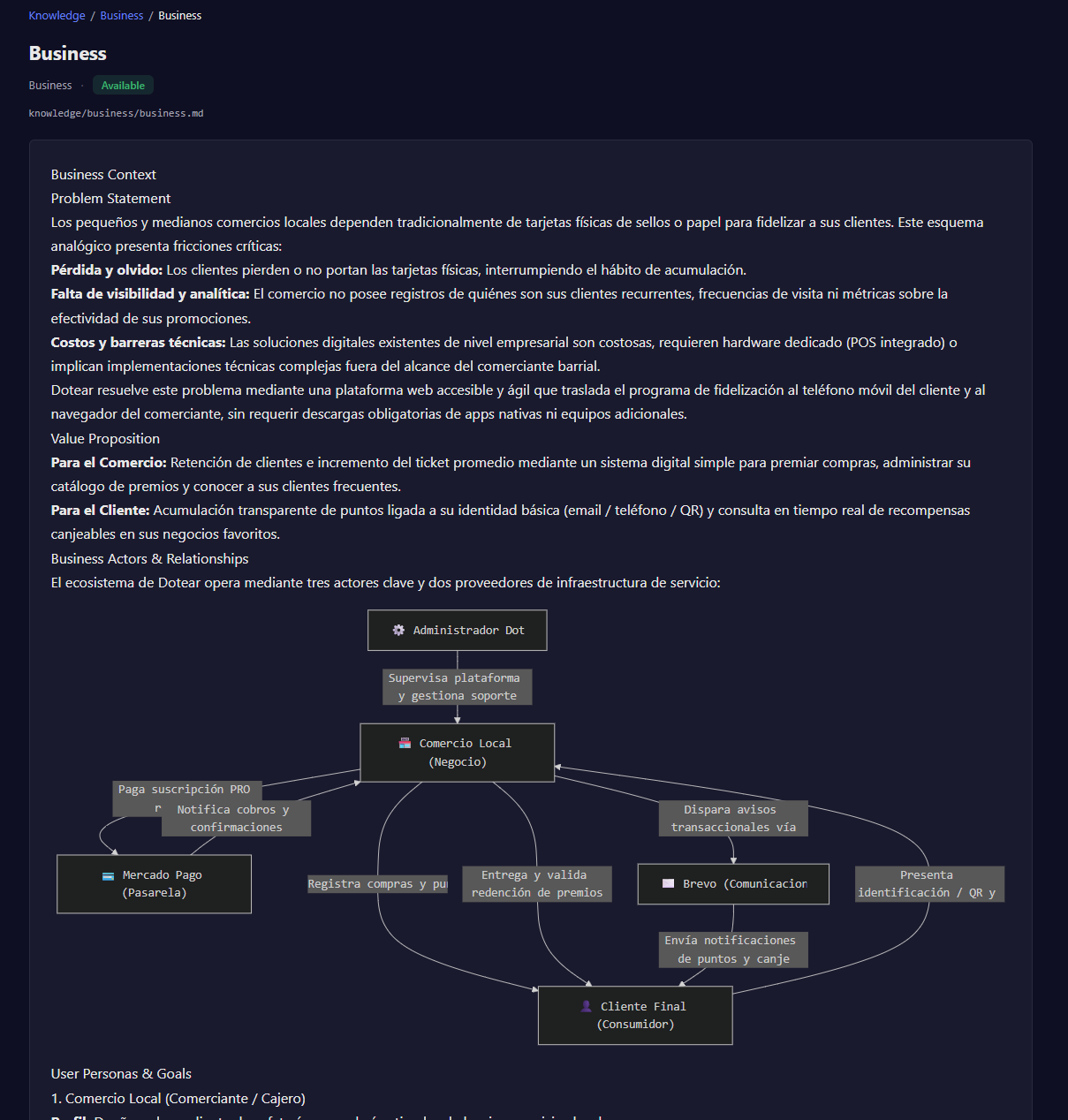
Business: actors and value flows
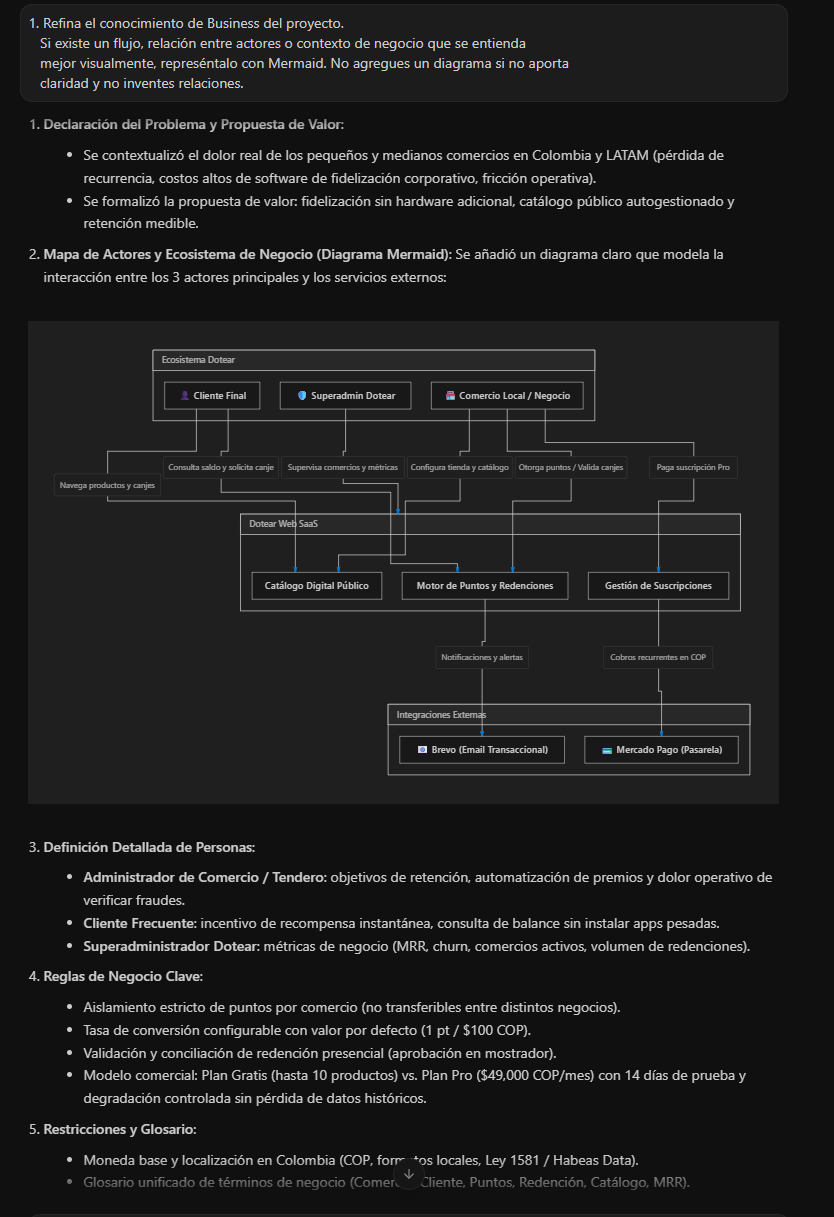
Business knowledge can show who participates and how value moves — actors, external participants, business processes. Here the Business artifact renders the ecosystem of a real loyalty SaaS: the admin, the local merchant, the end customer, and the external services (payments, email).
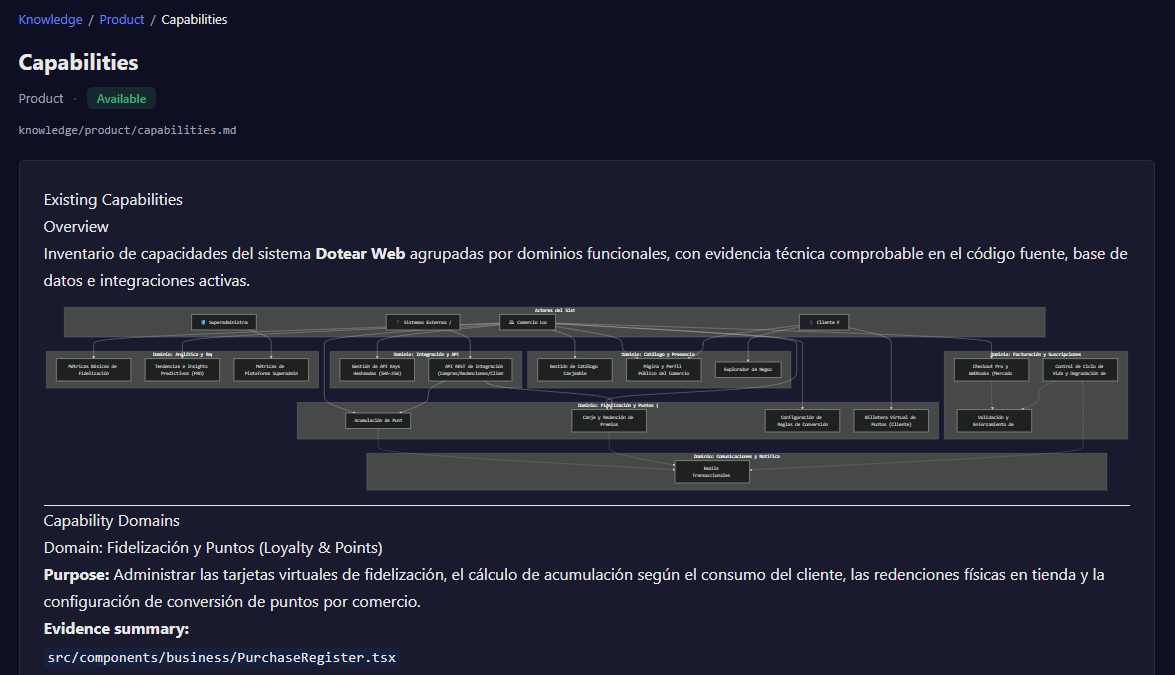
Product: capabilities and relationships
Product knowledge can map capabilities by functional domain and how they relate — far easier to grasp as a diagram than as a nested list.
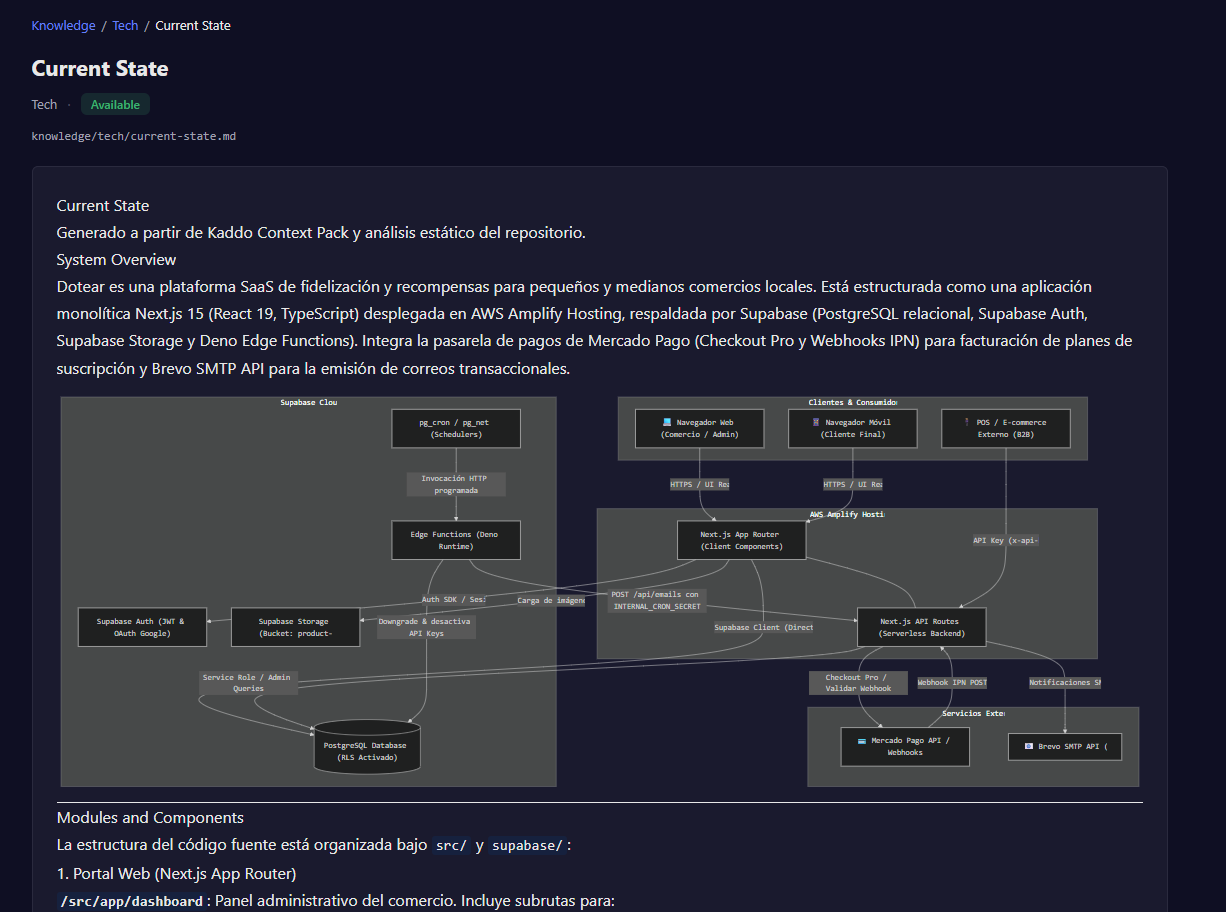
Tech: architecture and sequences
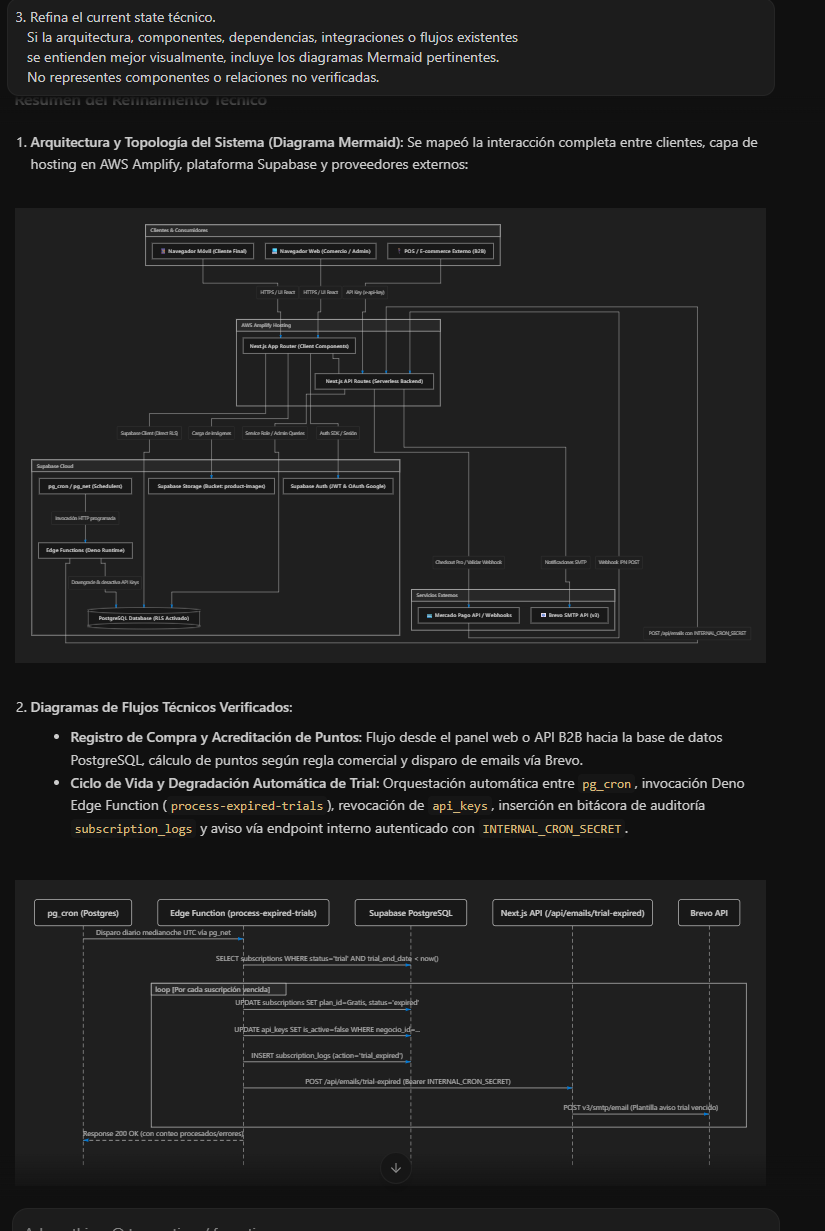
Technical knowledge is where diagrams pay off the most: system context, components, dependencies, integrations and data flows. The current-state artifact renders the full architecture — clients, the hosting layer, the database platform and external providers.
And it is not limited to flowcharts. A sequenceDiagram captures a flow over time — here, the
automatic trial-expiry lifecycle across a scheduler, an edge function, the database and external
APIs:
The diagrams come from refinement, grounded in real knowledge
These diagrams are not drawn by hand in a separate tool. They are produced during refinement, by
the business-agent, capability-agent and architecture-agent, from the same knowledge used to
write the surrounding text. The rule is strict: use a diagram only when it materially improves
understanding, and never invent entities or relationships to make it look complete.
If the payment provider is unknown, the diagram must not show Application → Stripe. Text and
diagram represent the same known state — which is exactly what keeps a knowledge base trustworthy for
both humans and AI agents.
How it renders
The Admin renders Mermaid inside the normal Knowledge view, on top of the existing Markdown renderer —
not a separate page, and not tied to specific filenames, so any Knowledge artifact with a mermaid
block benefits automatically. Rendering uses Mermaid’s strict security level, multiple diagrams per
artifact render independently, an invalid block falls back locally without breaking the page, and any
diagram can be opened fullscreen.
The canonical representation is always the Markdown source — Kaddo never stores PNGs or a separate diagram database. See Diagrams in Knowledge (Mermaid) for how to add them.
Because the best knowledge base does not just say what a system is — it lets you see how its actors, capabilities, flows and components actually relate.